
Time that never makes it to the bill
You spent the hour coordinating care. Then the line item sits Unbilled, comes back rejected, and the reason disappears. Accuracy and reimbursement both suffer.
Billable work should not fight the clinical file for attention. MediCase keeps time, review, rejection reasons, and return-to-work dates on the case nurses already open.
Best-practice billing for case management is simple to say and hard to run: capture the hour, review it, keep the rejection reason, and never separate work status from the claim.
You spent the hour coordinating care. Then the line item sits Unbilled, comes back rejected, and the reason disappears. Accuracy and reimbursement both suffer.
When a billing item is rejected and the reason is not kept with the case, the team guesses, resubmits incomplete work, and burns the same hour twice.
Work status, RTW, and MMI dates decide the next move. When they are not on the same record as the nurse’s tasks, the schedule drifts.
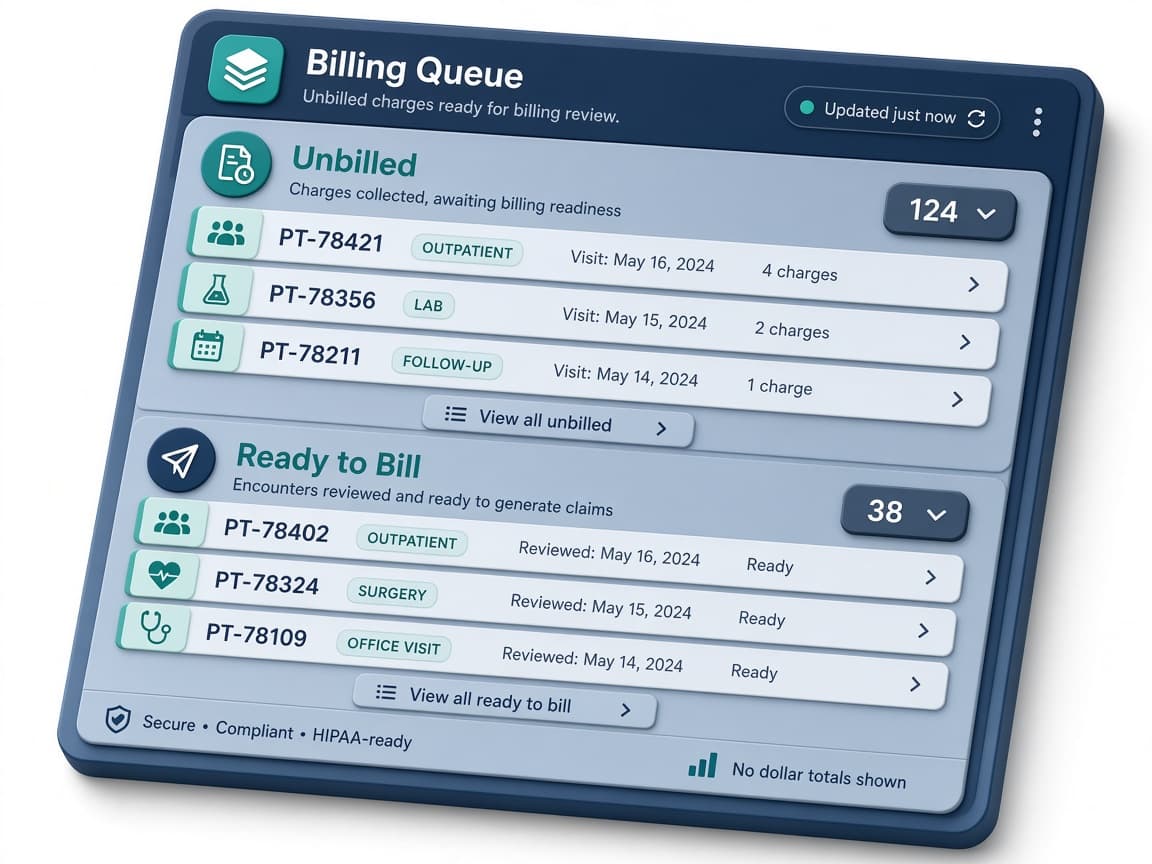
Without Unbilled and Ready to Bill visibility, supervisors learn about stuck billing only after a client or carrier asks hard questions.
Nouns match the product: Unbilled, Ready to Bill, rejection reason, resubmit, and audit trail. No invented “Reject & Correct” branding.
 01
01Log billable time and expenses against the case as the work happens, so the hour does not depend on memory at the end of the week.
02Items waiting for review stay visible on the case instead of disappearing into a spreadsheet no one owns.
 03
03Reviewed items move forward when they are ready for invoicing, using the product’s own review labels.
 04
04A rejected item keeps its reason and can be resubmitted. The correction path stays on the file.
05Work status, return-to-work dates, and MMI dates sit on the same case file as the billable work.
 06
06Billing changes are recorded so internal review and client questions have a history to follow.
Time and expenses are logged on the case. Items move through Unbilled and Ready to Bill. A rejected item keeps the reason and can be resubmitted. Changes are kept in an audit trail.
No. We describe the workflow. We do not invent reimbursement percentages or “client-ready in minutes” claims.
On the same case as billing and tasks. Disability and return-to-work visibility is part of this workflow, not a separate product.
Choose a plan. Larger plans are reviewed before a workspace is created.